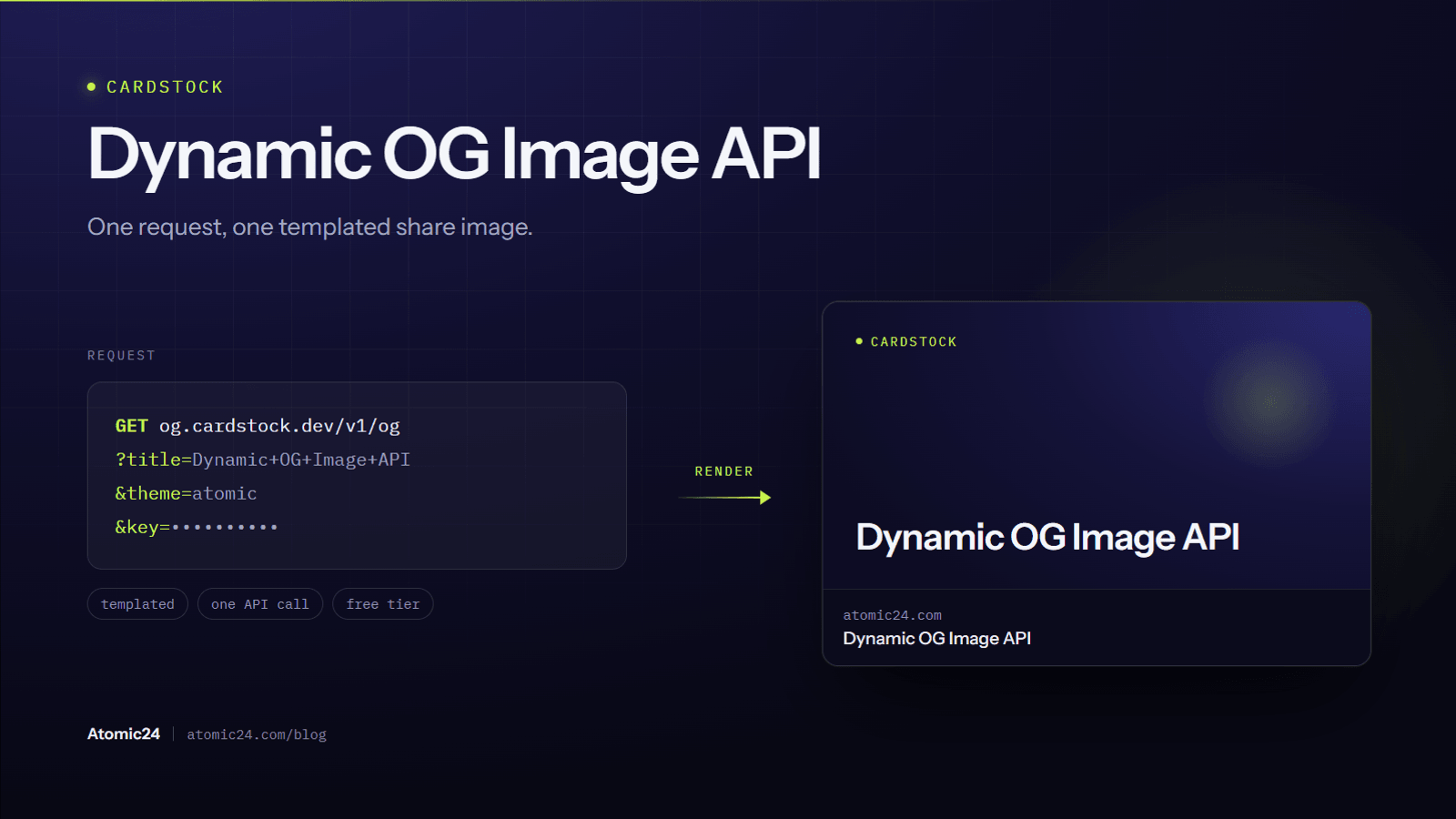
Every link you ship has a first impression: the preview card that unfurls when someone drops your URL into Slack, X, LinkedIn, iMessage, or Discord. Get it right and your link earns the click. Ship a blank box — or the same stock image on all 10,000 of your pages — and you leave engagement on the table. A dynamic OG image API solves this at the source: instead of hand-designing a preview for every page, you point your og:image tag at one URL and get a polished, on-brand social card generated automatically, per page, on demand.
This guide covers what a dynamic OG image API is, how it works, when to use one instead of rolling your own, and how to ship your first card in about a minute with Cardstock.
What a dynamic OG image API actually does
When a crawler fetches your page, it reads the <meta property="og:image"> tag to decide what image to show in the preview. With static images you're stuck maintaining a file per page. An og image generator api flips the model: the image is generated from the URL's parameters at request time.
You describe the card in the query string — the title, an optional subtitle, a theme, a logo — and the API renders a 1200×630 PNG that matches. Change the title, get a different card. No design tool, no export step, no asset pipeline. The "template" is code the service runs for you, and the "content" is whatever you pass in the URL.
That means one integration covers your entire site: blog posts, changelog entries, docs pages, product and pricing pages, even user-generated pages. Each one gets a preview that reads its own title and branding, without anyone opening a design app.
How it works: one URL, every page
The whole integration is a single meta tag. This is the og:image from url pattern — the image is a URL, and the URL carries the content:
<meta
  property="og:image"
  content="https://cardstock.dev/v1/og?title=Hello&subtitle=World&theme=dark&logo=acme&key=YOUR_API_KEY"
/>
The GET /v1/og endpoint takes four parameters:
| Param | Required | Values |
|---|---|---|
title | required | URL-encoded text — the headline on the card |
subtitle | optional | URL-encoded supporting line |
theme | optional | light or dark (default light) |
logo | optional | an https:// URL to your logo, or a preset key |
Render server-side by interpolating your page data into the URL. In a Next.js/React app it's one line in your <head>:
export const metadata = {
  openGraph: {
    images: [
      `https://cardstock.dev/v1/og?title=${encodeURIComponent(post.title)}&subtitle=${encodeURIComponent(post.author)}&theme=dark&logo=acme&key=${process.env.CARDSTOCK_KEY}`,
    ],
  },
};
The same URL works in plain HTML, any server framework, or a static site generator — it's just a string. Because og:image is fetched by crawlers rather than during your page render, adding it doesn't slow down the page your users load. And because Cardstock uses deterministic param-hash caching — the same parameters always map to the same cached image — a card that's already been rendered is returned straight from cache on repeat fetches, with no re-render.
Under the hood Cardstock renders with Satori (HTML/CSS → SVG → PNG), so there's no always-on headless Chromium to keep warm — just a lightweight render path behind the API.
What you can build with a social card API
Treating this as a general-purpose social card api rather than a one-off image opens up a lot:
- Blogs & changelogs — each post's title and author on its own card, generated the moment you publish.
- Docs — the page or section title on every docs URL, so shared links look intentional.
- E-commerce & product pages — product name, and with the
logoparam, consistent brand. - User-generated pages — profiles, dashboards, public reports: cards that read live data at share time.
- Marketing & launch pages — swap
themeand copy per campaign without a designer in the loop.
You wire it once; every current and future page inherits it.
Try it before you integrate
The fastest way to understand the API is to watch a card render as you type. The Cardstock playground lets you edit the title, pick a theme, and drop in a logo, then updates the 1200×630 preview in real time. When it looks right, copy the URL — that exact string is your og:image. No signup required to try it.
Dynamic OG image API vs. rolling your own (the Vercel OG question)
If you're a developer, you've probably weighed the DIY route — and if you're looking for a vercel og alternative, this is the honest comparison.
Vercel OG (@vercel/og, built on Satori) is a genuinely good library, and it's free. If you're already on React and Vercel and you want to own the rendering path, it's a solid choice — Cardstock uses the same Satori engine underneath. The tradeoff isn't the rendering; it's the ops around it. When you self-host OG generation, you own:
- Font loading. Satori needs the font files present at render time; fetching them adds latency per request unless you manage bundling and caching yourself.
- Bundle and runtime limits. Satori supports flexbox and a CSS subset, with a bundle-size ceiling on edge runtimes — real constraints you design around.
- Caching and CDN. A raw render endpoint recomputes the image unless you build the caching and CDN layer in front of it.
- Stack coupling. The smoothest path assumes React on Vercel. On a different stack, you're adapting.
None of that is a knock on Vercel OG — it's what "own the render service" means. A dynamic og image api like Cardstock is for the case where you'd rather not own it: you want the same result (point a URL, get a polished card) on any stack, with font handling, param-hash caching, and uptime already run for you. Same engine, none of the operational surface.
The rule of thumb: if owning the renderer is the point (or you need fully custom layouts today), self-host with @vercel/og. If you want on-brand previews live this afternoon and want to move on, use the hosted API.
Template/design platforms (Bannerbear, Placid, Robolly) solve a related but different problem — full drag-and-drop template builders priced for marketing teams. If you only need fast, on-brand link previews from an API and don't want a GUI to manage, a developer-first OG image API is the leaner fit.
Get your first card live in about a minute
- Try the playground — type a title, pick a theme, see the card.
- Grab a free API key — self-serve signup, no card required.
- Drop the meta tag in — set your
og:imageto yourcardstock.dev/v1/ogURL and interpolate your page data. - Verify — paste the page URL into any link-preview debugger and watch the card appear.
FAQ
What is a dynamic OG image API? A hosted service that generates Open Graph preview images on demand from URL parameters, so each page gets its own social card without a per-page design file. You set og:image to the API URL and pass the title, theme, and logo in the query string.
Will it slow down my pages? No. The og:image URL is fetched by social and chat crawlers when a link is shared, not while your page renders for users. And once a card has been rendered, the same parameters return it straight from cache — no repeat render.
Do I need to be on React or Vercel? No. The integration is a single meta tag — a URL — so it works with any framework, server language, or static site generator. That's the main reason to choose a hosted API over a stack-specific DIY setup.
How is this different from Vercel OG? Same Satori rendering engine; different ownership. Vercel OG is a library you host and operate (fonts, caching, CDN, uptime). Cardstock is the hosted API that runs all of that for you and works on any stack. See the comparison above.
What image size does it output? 1200×630 PNG — the standard Open Graph aspect ratio that renders cleanly across X, LinkedIn, Slack, Discord, iMessage, and Facebook.
Is there a free tier? Yes — a free tier to build and ship on, and a simple Pro plan when you need higher limits. No per-seat design-tool pricing. Get a free API key.
Ready to ship better previews?
Stop shipping blank or one-off link previews. Point your og:image at one URL and every page gets an on-brand social card, automatically.
Try the playground → · Get your free API key →
Cardstock — by Atomic24.